Showing posts with label Without. Show all posts

Monday, 25 March 2013

Download YOUTUBE videos on your computer or mobile without any software


Hello Friends today i am going to tell you how you can download videos from youtube without using any software .You can download videos on your computer or mobile in which you feel comfortable.Usually we use softwares like youtube downloaders to download videos from youtube and they suck in the speed sometime.So today i will be telling you how you can download videos from youtube without usign any software.
Download YOUTUBE videos on your computer or mobile without any software


  • First of all go to Youtube video which you want to download.
  • The link of the youtube video will look something like this.http://www.youtube.com/watch?v=79JXmV3JCHU
  • Now just replace www. with ss and the link will look like below http://ssyoutube.com/watch?v=79JXmV3JCHU
  • Now go the url and you will be shown the options of download
  • Now choose the format of file shown there like 3gp,mp4 or anything you like.just click on the format and your download will start.

Read more ...

Friday, 1 February 2013

HIDE DATA FOLDER IN MOBILE WITHOUT ANY SOFTWARE


JUST FOLLOW SIMPLE STEPS
1. Create any new folder or you can use any existing folder that is to be hidden.
2. Rename the folder to any name but with the extension of .jad like if I want to hide my images folder then I will name it as IMG.jad
3. Now create a new folder with the same name in the same directory but with the extension of .jar So, I would create the folder with the name IMG.jar
4. And thats it!! My orignal images folder which has been renamed with .jad gets hidden and only folder with.jar extension is visible which is empty.So,my data is protected/hidden from unwanted eyes.

Note :This trick can be used for any JAVA phone from Nokia,Samsung,Motorola,LG or any other company.
To unhide the orignal folder you have to remove the .jar extension from the new folder and your orignal folder with all the files and with .jad will become visible.
Read more ...

Friday, 14 December 2012

Easily Share Large Files Directly Pc To Pc Using Web Browser Without Uploading Anywhere


FilesOverMiles is a tool for direct file sharing, fast and secure way to send files over the Internet. No setup or sign up and the file transfers are not stored anywhere. It will appeal to many professionals who want to share files securely and efficiently.

Step 1 : Go to FilesOverMiles website. Click "Browse" and select the file to transfer.


Step 2 : As soon as you select the file, the site will generate an unique URL which you have to share with the user to want to send the file to.


Step 3 (2nd User) : The PC on the receiving end of this file transfer must go this unique url which will show a download option from the file to be transferred PC to PC.


Note : The transfer file will continue to be available for download until the web page on 1st user’s browser is closed.

This way you can securely transfer files of any size through one pc to another from your browser. No need to upload anywhere.

Enjoy.......
Read more ...

Sunday, 18 November 2012

Trick to Hide folders in Nokia/java phones without using any software

Hii friends.....I hope you all are fine. Sometimes we have some personal data in our phone and we want to hide it without using any software. So today am going to share a very useful trick "Hide folders in NOKIA/Java Phones without using any software". This trick will work on LG,NOKIA,SAMSUNG and most of the companies. The only requirement is your phone should support JAVA which almost all mobile phones support now.


Steps:   

  • Create any new folder or you can use an existing folder that you want to hide.
  • Now give that folder any name but with the extension of .jad like if I want to hide my games folder then I will give name as games.jad
  • Now you have to create a new folder in the same directory and with the same name but with the extension of .jar 
    Here, I will create a new folder with the name games.jar
  • Yippee!!You are done!! The original games folder has been hidden and now the folder visible is games.jar which is an empty folder. To view games folder that is to see our protected data,we need to remove the .jar extension from the games.jar and my original folder with my protected files and .jad extension will be visible. 
So, now we have learnt to save our personal data from unwanted eyes!!!

I hope my article was useful to you!!!
Please do comments on this post!!!
Keep Visiting!!!
Read more ...

Monday, 12 November 2012

Know RaR Password Without Completing Any Surveys


Hi all users,  how are you ? Sometimes you download a file (precious one) without any survey or anything else shitty but when you extract the file you got stunned !!! why ? coz it is encrypted with the password and to find the password for that file you have to fill up/ complete a survey (sign up for something), I know it' so annoying and painful  he but trying to get a password for a file. Today we'll tell you a simple trick to bypass that kind of survey and get the pass for that kind of file.

Unlock Rar : Click Here


Video Tutorial [ Must Watch ]


Read more ...

Friday, 9 November 2012

Transfer Blogger to Wordpress without leaving any post


Hello again,Today I will tell you how to transfer your blog hosted on blogger to wordpress.It is a very easy method and the best thing is no post will be removed :).So I hope you had understand what I am gonna show yo, so let's start.


Follow my step by step guide:
1. Log in into Blogger.

2. Go to Edit Html.

3. Download the whole coding and save it on your desktop.

4. Log in into Wordpress.

5. Go to tools (at the left).

6. Click on import.

7. Click on blogger. Before clicking make sure yo have logged in into blogger.

8. Click on authorize.

9. Click on Grant access.

10. Click on import.
11. After the completion of the process, just set the authors.
12. Open your Wordpress hosted blog to see all your previous posts.

Notes:
1. I recommend you to remove the posts from previous blog otherwise material will become copyrighted.
2. There's some type of error in this process that's why yo can import posts only once from on blog, second time posts will be skipped.
3. Your previous domain will not be shifted.

Enjoy :)
Read more ...

Thursday, 25 October 2012

Download Youtube Videos Without Any Software


Hello Guys,

This One Simple And Little Old trick But Many Users Don't Know This One And They Find Youtube Downloader In Google That's Why I Posted This Trick Here. 

See Below Steps :-

Step 1 :- Open Youtube And Go To The Video With You want To Download.

Step 2 :- Download Video Threw Just Add Some Text In Link. Just Put "ss" Before "Youtube.com"
Like Suppose Video Link Is "www.youtube.com/watch?v=rnCQ-mKKHkU" Then You Have To Replace This One To "www.ssyoutube.com/watch?v=rnCQ-mKKHkU"
See below Pic.


Step 3 :- then You Will Be Redirect To Below Page. In This Page You Have All Options Means In 3GP MP4 And many More Just Click On It. Downloading Starting Within A Second.
That's All.


Read more ...

How to use Facebook without internet


hi Guys :)
this trick / post is only for Indian , its work's only on Indian Numbers

Now access facebook anytime,
anywhere without GPRS/internet connection.
Update status, Post on friends wall, send messages,
 get notifications and much more.
Join today to stay connected with your facebook friends.

To get this trick login  To your Facebook Account ..

And then Click Here ,
Allow App to access you data on Facebook , then enter your number without country Code,
complete process and then Enjoy :) 
Read more ...

Saturday, 15 September 2012

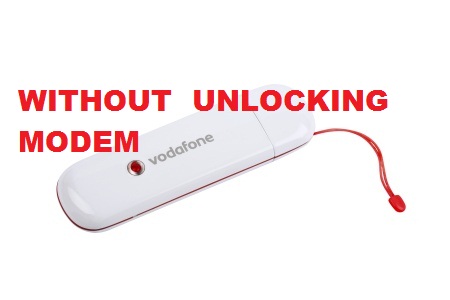
Use any sim in any modem without unlocking it


We all know that, we cannot use any sim in any modem without unlocking the modem. But its now possible by using Nokia PC suite…


Follow the Steps :

1) Insert the sim inside the modem and connect it to the PC.

2) It will display the message as invalid sim, ignore that message and Open the Nokia PC suite.

3) Click on Connect to Internet option in PC suite.

4) Goto Configure. Select your data card modem,and make all operator apn setting as like when we use nokia mobile connection.

5) Finish the set up and connect to internet through PC suite.

6) Now your net is connected without any unlocking….

Enjoy…
Read more ...

Make folder invisible without hiding it


Now here comes a wonderfull trick to make the folder Invisible without hiding It. Then you can store your personal data in it…Just follow the below simple steps.


1) Right Click on the desktop and make a new folder.

2) Now rename the folder with a space (you have to hold ALT key and type 0160). (This itself is an another trick to name a folder blank).

3) Now you have a folder without a name.

4) Right click on the folder>properties>customize. Click on change icon.

5) Scroll a bit, you will find some empty spaces.

Click on any one of them.

click ok Thats it,

now you can store your personal data without any 3rd party tools…

Enjoy…
Read more ...

Saturday, 25 August 2012

Hacking Windows 7 Password Without Any Software


Hacking Windows 7 Password Without Any Software
Read more ...
Related Posts Plugin for WordPress, Blogger...