Showing posts with label Use. Show all posts

Wednesday, 14 November 2012

Use Multiple Facebook Accounts On Same Browser


Hi all users,  fooling your friends by making fake profiles is very responsible duty (just kidding) you have to make your profile pic legit, have to choose a valid address that your friend doesn't  really know and the most difficult part is install multiple browser to log into multiple profile simultaneously to make your friend sure that you're not that person :)

But today's topic is straight forward, it's not prepared for fooling you colleagues. In today's topic we'll only learn how to log into multiple accounts like Facebook, Gmail, Twitter and all other site which requires login without leaving your current browser. So lets get started.

  
How To Login To Multiple Facebook Accounts With Google Chrome

1. Login to your First Facebook,Gmail,Yahoo Account the normal way you do.

2. Click the
Wrench   to bring Google Chrome options, and Click New incognito window (or simply Press Ctrl+Shift+N)

3. You would be brought to a new window which stores cookies apart. You’ll notice a secret agent in the top left corner of Google Chrome.

4. Now you can simply login to your second mail, facebook or gmail account.
How To Login To Multiple Facebook,Gmail,Yahoo Accounts With Mozilla Firefox

1. Visit multifox and download multifox, then install it to your firefox browser.

2. Restart your firefox. Now login to your First Facebook Account as usual. Go to File > Profile (or press Ctrl+Shif+M) . Now a new window will open go to facebook.com login in your second account
 
How To Login To Multiple Facebook,Gmail,Yahoo Accounts With Internet Explorer 8

1. Login to the First Facebook Account as usual.

2. Now Press Alt and go to File > New session. A new window will be opened, now visit the website again and login with the second account.

Enjoy.......
Read more ...

Monday, 12 November 2012

Use Turbo C++ on Your Android Mobiles/Devices


Hi all users, here we have include the easiest way of using turbo c and turbo c++ in an android device. That means you can program in turbo c and turbo c++ in your android device. Through this way you can  use Turbo C++ and old PC games in andosbox emulator which is a x86 emulator in our android phone.We have describe the steps below that allows you to work with above mentioned programming mode.

1. First of all the file andsobox.apk
2. Then install it on your android device
3. Now get the zip file turboc++.rar
4. Extract the turboc++.rar file
5. Copy and paste turboc++.rar contents in your sd card
6. Now finally run andos box.

Enjoy.......
Read more ...

Thursday, 25 October 2012

How to use Facebook without internet


hi Guys :)
this trick / post is only for Indian , its work's only on Indian Numbers

Now access facebook anytime,
anywhere without GPRS/internet connection.
Update status, Post on friends wall, send messages,
 get notifications and much more.
Join today to stay connected with your facebook friends.

To get this trick login  To your Facebook Account ..

And then Click Here ,
Allow App to access you data on Facebook , then enter your number without country Code,
complete process and then Enjoy :) 
Read more ...

Sunday, 14 October 2012

Hack Any Password Protected Wi-Fi Network

Today I’ll tell you how do you hack any wifi network with “CommView For Wi-Fi” software.


 First you have to know what is Wi-Fi and how dose it work?
"Wi-Fi" is a type of wireless networking protocol that allows devices to communicate without cords or cables.

1: Wi-fi uses antennas around which wi-fi "hotspots" are created. The hotspots are outlets equipped to receive the radio waves that power wireless networking. Until recently, wi-fi has been confined to more than 10,000 hot-spots in cafes, bars and airport lounges. But various projects are under way to set up city-wide zones, where a series of antennas are installed in the streets, on lampposts or street signs. The hotspots around them together create a much wider area of coverage. Norwich has a mesh network which links each lamppost antenna to the next creating a seamless wi-fi hotspot around the center of the city.
2: The source internet connection is provided by a PC or server to which the antennas are connected either wirelessly or via a cable.
3: Some mobile phones and personal digital assistants (PDA) now have wi-fi chips installed. With mobile phones, this means conventional networks can be bypassed and inexpensive long-distance calls made over the web (using Voice over Internet Protocol, VoIP).
4: Many laptops and handheld computers now come with built-in wi-fi connectivity; it is also possible to add wi-fi to your computer with a special card that plugs into a port on your laptop.
Some organizations provide it for free but maximums provide it for business purpose only. And you have to give a password to access this kind of network.
 
 This software price is $1099. Don't worry, I'm giving you for FREE.
Download This Software from HERE. [Mediafire Link]
Note: Please turn off your anti-virus program before you install this software, otherwise this software will not work properly. After completing installing process you can re-run your anti-virus program.
Now follow the Instructions bellow:
1. Install the software and drivers.

2. Click on ‘Rules’ tab and tick on ‘Enable advance rules’ option.

3. Type ‘a’ on Name box and Past this code on formula box “tods=1 and dmac=FF:FF:FF:FF:FF:FF” like picture bellow. Then click ‘add/edit’ button.

4. A window will appear like the picture bellow. Give a tick on ‘a’ .

5. Then go to ‘Settings’ and click ‘Option’

6. Go to ‘Memory Usage’ tab and set everything just like this picture & click ‘Ok’ (Restart may be required).

7.  Check ‘D’ funnel and uncheck another two funnel from the right top of this window.

8. Click ‘Search’ button and find the network that you want to creak.

9. Then drag it on ‘Channel’ tab and click ‘Capture’ button.

 10. Now which one is do not capturing anything give it to password protected network and connect it. When it will ask for password, give any as you wish.
11. It will show this massage “Connected with limited connectivity”.
(I have no Wi-Fi connections at this time. that is why, I can’t share some screenshots).
12. Click on main menu again and then click on ‘Packets’ Tab. If everything was all right, you will see some Couple of Packets.

13. Click right button on “ARP REQ”  Packet and then > “Send Packet(s)” > Selected.


14. This menu will appear.

15. Now change all values just like this and click ‘Send’.

16. Go to ‘Rules’ Tab again and uncheck the Rules “a” .


17.  Select first 20000 packets and save it. Make sure you are saving it as “dump cap” file in place of “ncf” file format. (I have no Wi-Fi connections this time, that is why I can’t share some screenshots).

 18. Now download a zip folder named “Aircrack-NG” from HERE. And extract it.

19. Open ‘bin’ folder and run this file ‘aircrack-ng-GUI.exe’. Then go where you saved the packets, select all and click launch.

20. An ‘IV’ list will came. Select the network that you want to creak.

21. Click ‘Connect’. You will be connected with your desire network like a magic !

22. Enjoy the Unlimited Wi-Fi Internet.

Also you can do with this software :

Done...
Read more ...

Saturday, 15 September 2012

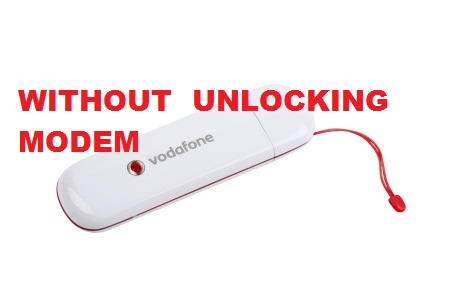
Use any sim in any modem without unlocking it


We all know that, we cannot use any sim in any modem without unlocking the modem. But its now possible by using Nokia PC suite…


Follow the Steps :

1) Insert the sim inside the modem and connect it to the PC.

2) It will display the message as invalid sim, ignore that message and Open the Nokia PC suite.

3) Click on Connect to Internet option in PC suite.

4) Goto Configure. Select your data card modem,and make all operator apn setting as like when we use nokia mobile connection.

5) Finish the set up and connect to internet through PC suite.

6) Now your net is connected without any unlocking….

Enjoy…
Read more ...
Related Posts Plugin for WordPress, Blogger...